Play Minecraft Classic
The game above is the official early browser version from 2009. Click inside the game to focus it. A keyboard and WebGL are required; the specific controls come from the game.
Play Minecraft Classic in your browser.Official early Minecraft Classic · keyboard and WebGL required.
OFFICIAL MINECRAFT CLASSIC · 2009
Click inside to focus · WASD move · Space jump · B blocks · Esc menu
This is the early 2009 Minecraft Classic, not a modern Minecraft release. The game requires a keyboard and WebGL; touch-only devices cannot directly operate it.
MORE BROWSER GAMES · EXTERNAL RECOMMENDATION
These covers preview titles on the independent site. Visit WASM Arcade after the five-second countdown, or cancel to stay here.
The countdown is unavailable until this page's interactive script loads. No redirect will start automatically.
Destination: https://wasmarcade.com/
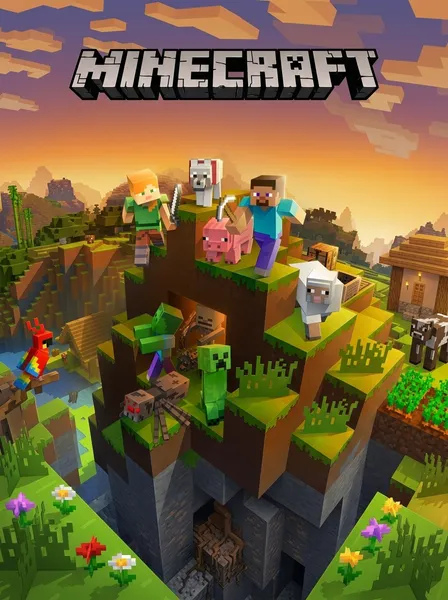
The game above is the official early browser version from 2009. Click inside the game to focus it. A keyboard and WebGL are required; the specific controls come from the game.
Browse 1,081 indexed game entries across five collections. Entries are references; original game files are not included. The separate 2048 demo has its own page.
Choose a SWF file you have the right to use on a Flash entry. Ruffle processes it in your browser; Wasm Arcade does not supply the file, and compatibility varies.
Browse classic PC game catalogue entries. Original licensed game files and compatible engines are not included; check each entry for local availability.
Browse Neo Geo catalogue entries by title. ROM files and an arcade emulator are not included; check each entry for what is needed to run it locally.
Browse Capcom arcade catalogue entries. Arcade ROM files and an emulator are not included; each detail page shows local availability.
Browse classic arcade catalogue entries by title. ROM files and a compatible arcade emulator are not included.
Browse Flash game catalogue entries. Game SWF files are not included; a Flash detail page lets you select a local SWF file you have the right to use.
1,081 titles indexed; original game files are not included. The separate 2048 demo remains available from its own page. Flash entries can run a SWF file you select from your device.
Browse Flash entriesThe official Minecraft Classic browser page from 2009, an early creative-mode release. It is not Minecraft 1.8.8 or a modern release.
Click inside the game to focus it. A keyboard and WebGL are required. Loading the page does not guarantee every browser can run the game.
Use the Fullscreen button above the game. You can also open the official Minecraft Classic page directly if your browser does not allow embedded fullscreen.
The page fits smaller screens, but Minecraft Classic needs a keyboard. Touch-only devices cannot directly operate this game.
Browse 1,081 indexed entries across five collections. They are references and do not mean all game files are included or playable here; the external recommendation for more GTA and Minecraft games remains below.
No. The separate open-source 2048 demo is at /play/2048/.